

Description
Download Organize Search Engines – Firefox add‑on for tidy search menus
Overview
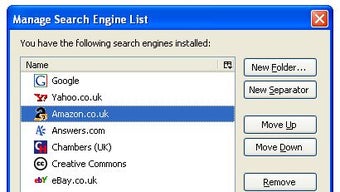
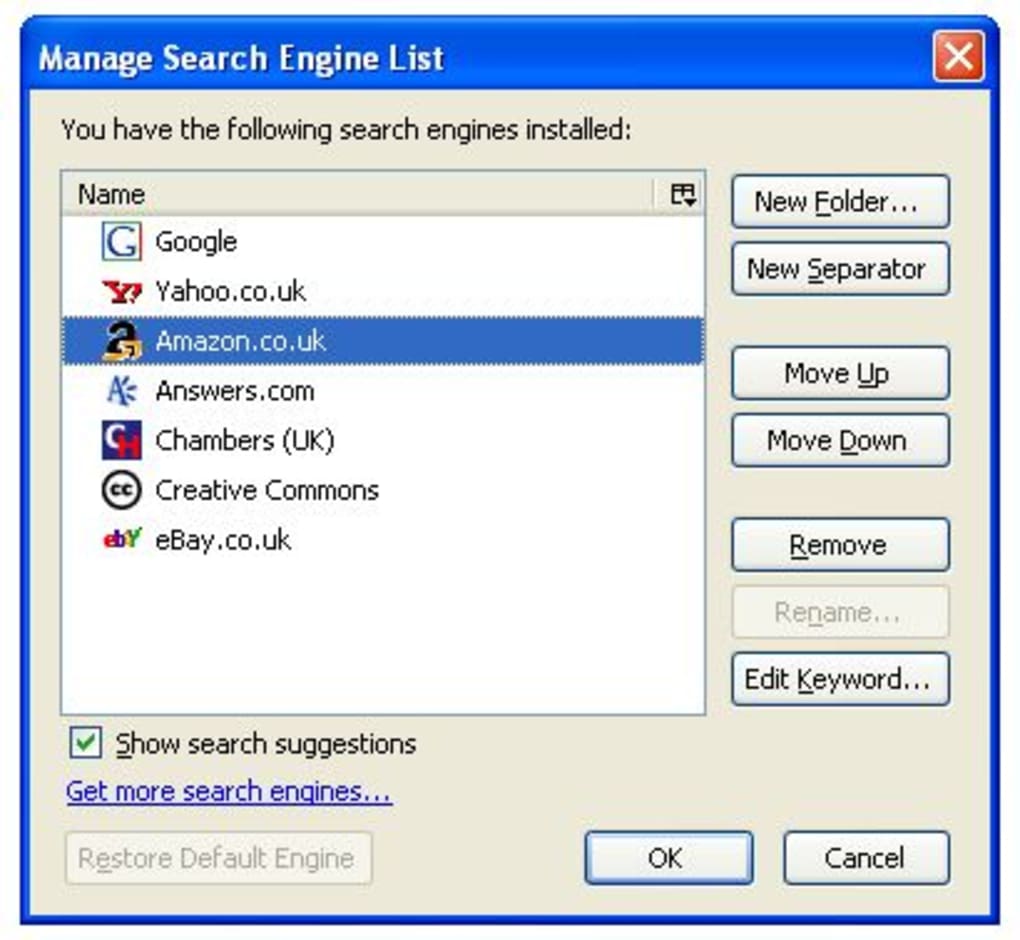
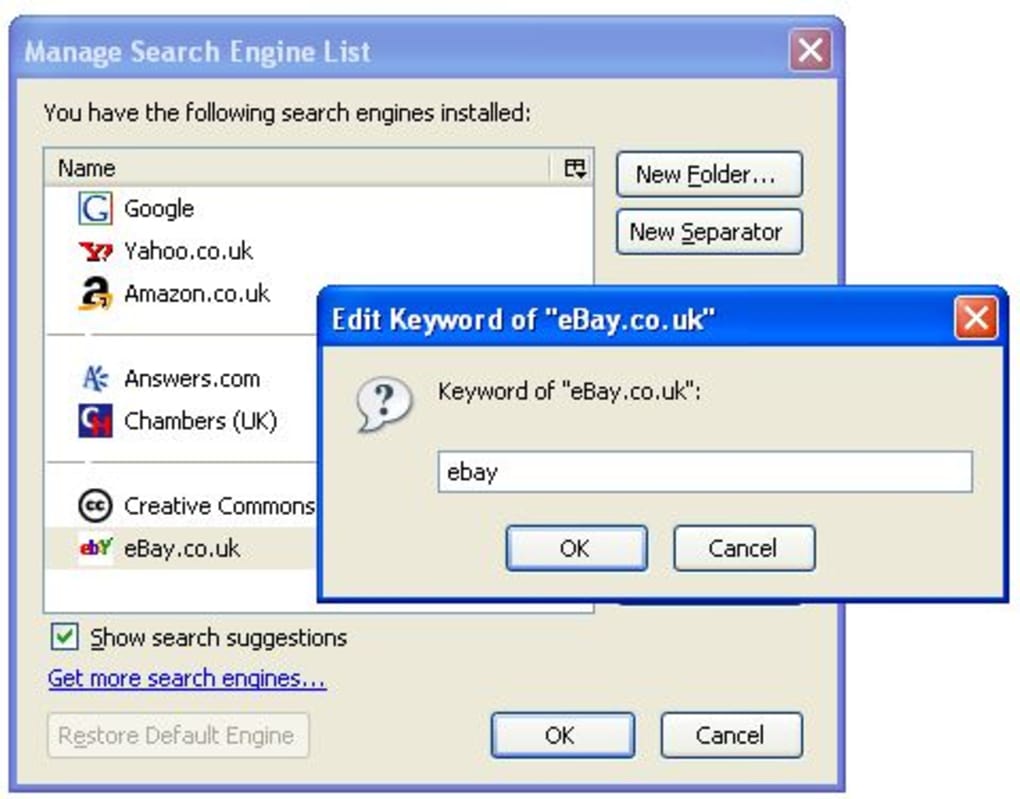
If you spend any amount of time in Firefox, you’ve probably noticed the cramped list of search engines that appears when you click the magnifying‑glass icon next to the address bar. Over time that dropdown can become a chaotic mix of default engines, custom additions, and forgotten entries. Organize Search Engines is a lightweight, free Firefox add‑on designed to bring order to that space. By letting you drag‑and‑drop engines into custom folders, insert visual separators, and rearrange the list with a simple windowed interface, the tool transforms a cluttered menu into a clean, navigable hub. While it does not yet support installing new search engines directly from its UI, it provides a convenient link to Mozilla’s official engine repository, ensuring you can still expand your options without leaving the browser. The add‑on’s minimalistic design respects Firefox’s performance standards, loading only when you open its management window and staying out of the way during regular browsing. Whether you’re a power user who switches between dozens of specialized engines or a casual surfer who simply wants to keep Google, Bing, and DuckDuckGo in a tidy order, Organize Search Engines offers a straightforward solution that saves clicks and reduces visual noise.
Key Features
- Drag‑and‑Drop Arrangement: Reorder any search engine by simply dragging it to a new position.
- Folder Support: Group related engines (e.g., shopping, academic, technical) into collapsible folders.
- Custom Separators: Insert horizontal lines to visually separate groups for quick scanning.
- One‑Click Access to Mozilla Engine List: Open the official search engine directory in a new tab for easy addition.
- Lightweight UI: A clean, windowed interface that opens only when needed, keeping Firefox fast.
- Preserve Existing Settings: Changes are saved automatically without overwriting your current engine configuration.
- Cross‑Platform Consistency: Works the same on Windows, macOS, and Linux versions of Firefox.
- Free & Open Source: No hidden fees, ads, or telemetry; the code is publicly available for review.
Installation & Usage Instructions
Getting started with Organize Search Engines is intentionally simple. Follow these steps to download, install, and master the add‑on:
- Download the Add‑on: Visit the official Firefox Add‑ons site and click the “Add to Firefox” button. The download is secure and signed by Mozilla, ensuring you receive a trusted package.
- Confirm Installation: Firefox will prompt you to confirm the permissions required (access to your search engine list). Click “Add” to complete the installation.
- Open the Management Window: After installation, a new icon appears in the toolbar (a tiny folder). Click it to launch the Organize Search Engines interface.
- Rearrange Engines: In the window, you’ll see a list of all configured engines. Drag any entry up or down to change its order. To create a folder, select one or more engines, right‑click, and choose “Create Folder.” Name the folder and press Enter.
- Insert Separators: Right‑click between two entries and select “Add Separator.” This visual line helps differentiate groups at a glance.
- Save & Apply: Changes are saved automatically. Close the window, and the new arrangement will be reflected the next time you click the search icon.
- Access More Engines: If you need additional search providers, click the “Open Mozilla Engine List” link at the bottom of the management window. This opens a new tab with a curated list of engines you can add manually via Firefox’s native “Add Search Engine” feature.
- Reset to Default (Optional): The “Restore Default Engine” button is currently disabled in this version, but you can revert to Firefox’s original list by disabling and re‑enabling the add‑on, or by resetting Firefox’s search settings in Preferences → Search → Default Search Engine.
Because the UI is window‑based, you can keep it open while you fine‑tune the arrangement, making it ideal for users who like to experiment with different folder structures. The add‑on does not interfere with browsing performance; it loads only when you launch its window, leaving the main browser process untouched.
Compatibility, Pros & Cons
Organize Search Engines runs on any operating system that supports the latest Firefox release, including Windows 10/11, macOS Ventura and later, and popular Linux distributions such as Ubuntu, Fedora, and Debian. The add‑on leverages Firefox’s WebExtension API, guaranteeing consistent behavior across platforms.
Pros
- Intuitive drag‑and‑drop interface reduces time spent searching for the right engine.
- Folder organization mirrors familiar file‑system structures, making it easy to group related engines.
- Custom separators improve visual clarity, especially for users with many entries.
- Free, open‑source, and regularly updated by the developer community.
- Minimal impact on browser performance; the add‑on is only active when the management window is open.
Cons
- No built‑in ability to add new search engines directly from the UI (requires external link).
- The “Restore Default Engine” button is disabled, leaving users without a one‑click reset option.
- Lacks an integrated help system or tutorial, which may confuse first‑time users.
- Changes are saved globally; there is no per‑profile configuration for multi‑profile Firefox users.
- Occasional UI glitch on very high‑DPI displays where separators may appear thinner than intended.
Frequently Asked Questions
Can I import my existing folder structure from another browser?
Organize Search Engines works only with Firefox’s native search engine list. To migrate from another browser, you first need to import the engines into Firefox using its built‑in “Import Search Engines” feature, then use the add‑on to arrange them.
Is the add‑on compatible with Firefox ESR (Extended Support Release)?
Yes, the add‑on is compatible with the current Firefox ESR version, provided the ESR build supports WebExtensions (Firefox ESR 78 and later).
Will using Organize Search Engines affect my browsing speed?
No. The add‑on only loads its UI when you open the management window. While the window is closed, it runs no background scripts that could slow down page loading or increase memory usage.
Can I back up my custom folder arrangement?
Organize Search Engines stores its configuration in Firefox’s profile folder. You can back up the entire profile or specifically copy the “search.json.mozlz4” file, which contains the engine order and folder data.
Is there a way to reset the add‑on to its default state?
Since the “Restore Default Engine” button is disabled, the simplest method is to remove the add‑on, restart Firefox, and reinstall it. This clears any custom folders and separators, returning the search list to its original order.
Final Verdict & Call to Action
Organize Search Engines fills a niche that many Firefox power users have long complained about: the inability to tidy up the search engine dropdown. Its drag‑and‑drop interface, folder support, and visual separators make it an essential utility for anyone who values a clean browsing environment. While the lack of an in‑app engine installer and a disabled reset button are noticeable gaps, they do not outweigh the benefits of a faster, more organized search experience. If you’re looking to streamline your Firefox workflow, this add‑on is a free, secure, and easy-to‑install solution that delivers immediate results.
Ready to bring order to your search bar? Download Organize Search Engines now and start customizing your search engine menu in minutes.
Guides & Tutorials for Organize Search Engines
How to install Organize Search Engines
- Click the Preview / Download button above.
- Once redirected, accept the terms and click Install.
- Wait for the Organize Search Engines download to finish on your device.
How to use Organize Search Engines
This software is primarily used for its core features described above. Open the app after installation to explore its capabilities.
User Reviews for Organize Search Engines 0
No reviews found





